Use this worksheet to choose a keyboard layout from your own work rather than a generic best list. It records tasks, controls and practical friction. It does not produce an ergonomic score, collect personal information or recommend a specific product automatically.
Make one record per recurring task
- Task: what you are trying to finish.
- Controls: number pad, top number row, navigation keys, shortcuts and mouse actions used.
- Frequency: occasional, repeated through the session or concentrated in a batch.
- Friction: the exact extra reach, mode change, missing key or interruption you noticed.
- Current arrangement: what is on the desk and where.
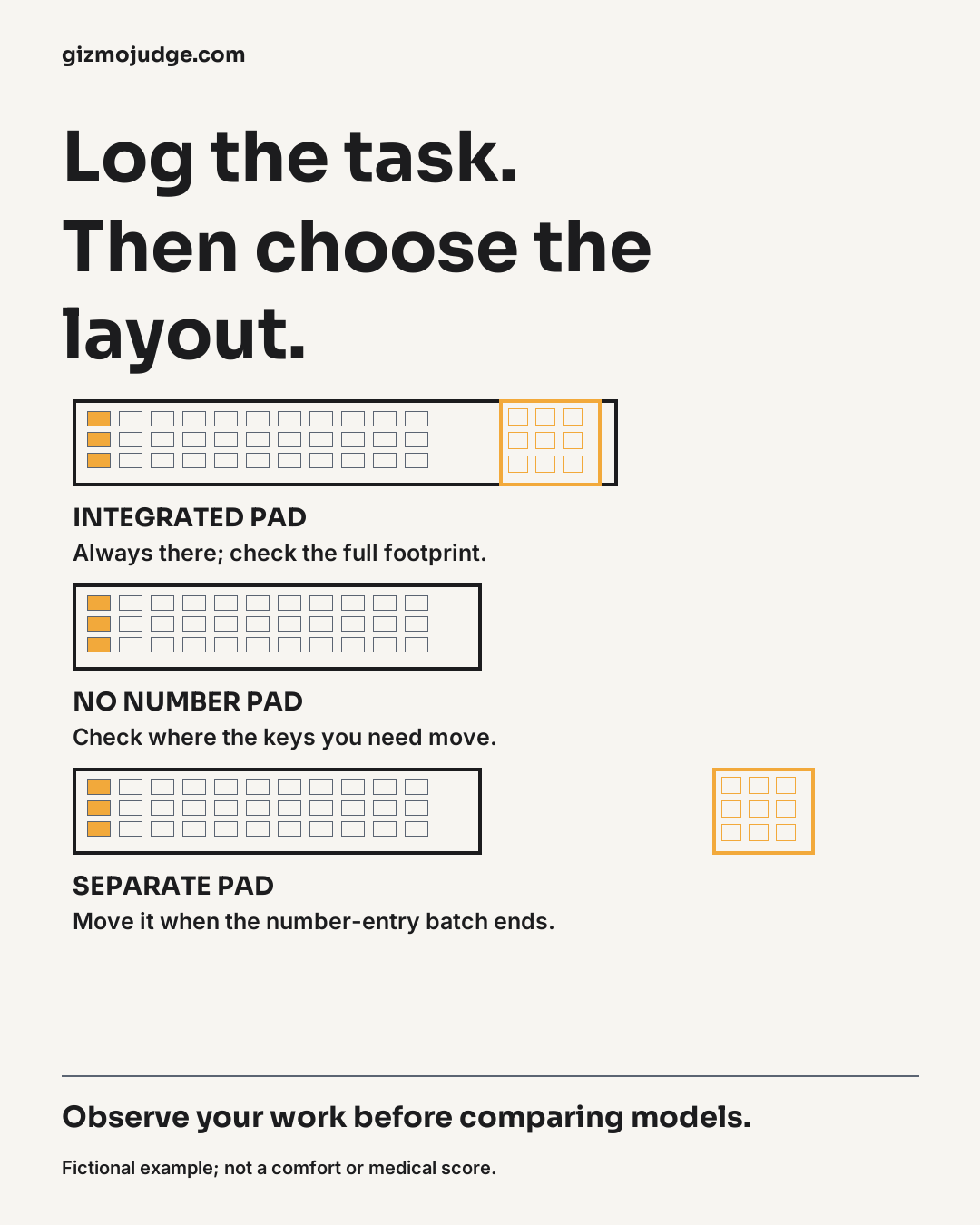
- Alternative to try: integrated pad, no pad or a separate pad.
- Check after trying: which task became easier or harder, and what remains unknown.
Fictional example: monthly reporting
Task: enter a batch of invoice totals, then review a narrative report. Controls: repeated number-pad entry during the batch; text, navigation and mouse use during the report. Frequency: concentrated number entry followed by a different type of work. Friction: a fixed arrangement makes it awkward to change where the mouse sits.
Alternative to try: keep the current keyboard for comparison and test whether a separate pad could be moved when the batch ends. Remaining unknowns include the actual keyboard layout, dimensions, connection and feel. This is an invented decision example, not a measured result or advice that everyone should use a separate pad.
Turn the notes into a shortlist
Look for a repeated pattern before deciding. If number entry matters through most tasks, an integrated pad may remain the simplest arrangement. If it appears only in occasional batches, a movable pad may be worth considering. If you rarely use it, test whether a layout without it preserves the keys and shortcuts that matter more.
Record tradeoffs, including a second device to power or connect, a changed key position or a footprint that does not leave the space you expected. Do not turn a single short trial into a universal conclusion. Keep any discomfort or access requirement separate from a simple layout preference and seek an appropriate individual assessment where needed.
Before placing an order
- Measure the exact candidate and the whole arrangement, not only the keyboard body.
- Verify operating system, connection, required software and keyboard language/layout.
- Read the actual seller’s current return conditions instead of assuming a trial is permitted.
- Keep one reason for choosing and one tradeoff you accept.
For the decision framework, see Do you need a number pad? For a broader setup record, use the desk-fit worksheet. This worksheet is original desk-research guidance, not hands-on testing of a named keyboard.
Sources and scope
HSE: workstation assessment context
Sources checked 25 October 2026. Original desk-research guidance and explanatory illustrations; no hands-on product test or measured customer result is claimed.