Verdicts here are built from published specs, independent testing and real owner reports, not our own hands-on use. See how we judge →
The single most useful thing to know before buying an office chair is that “ergonomic” is not a protected word. Anyone can print it on a box. There is no law stopping a $90 mesh chair with a fixed backrest from calling itself ergonomic, and plenty do. What actually separates a chair built for long sitting from one just marketed for it is a specific, checkable list of adjustments, not a label.
What “ergonomic” actually means (and why the word alone means nothing)
There is no regulation governing who can call a chair ergonomic. The closest thing to a real signal is a certification: BIFMA (the US furniture industry’s own testing standard) or EN 1335 (the equivalent European standard), which mean a chair has actually been tested for safety, durability and dimensional requirements by an independent body, not just described that way in copy. A chair that lists a BIFMA or EN 1335 certification on its own spec page has cleared a real bar. A chair that only says “ergonomic design” in its title has cleared nothing.
The 5 things worth checking before price
- Adjustable lumbar support, not just “built-in” lumbar support. A fixed foam bump in the backrest is not the same as a lumbar pad you can move up, down, or tighten to your own lower back. If the listing doesn’t say the lumbar height or depth adjusts, assume it doesn’t.
- Seat depth adjustment. This is the most commonly skipped feature on budget chairs and one of the most important. A seat that’s too deep pushes your knees into the front edge and cuts circulation behind them; too shallow and your thighs get no support. A sliding seat pan (usually a 2 to 3 inch range) is what fixes this, and it’s worth checking the spec sheet directly rather than trusting a product photo.
- Weight capacity with a real safety margin. Buy well above your actual weight, not right at the listed limit. A chair rated for exactly your weight is being asked to perform at its structural edge every single day; components near the top of their rated capacity wear out faster.
- Armrest adjustability, ideally 4D. 4D means the armrests move in four directions: height, width, depth, and pivot angle. Fixed or 2D armrests (height and width only) can’t be set to actually support your forearms at your specific desk height, so people either don’t use them or use them wrong.
- An independent certification: BIFMA or EN 1335. This is the one line item that separates a tested chair from an untested one wearing the same adjective.
What matters less than the marketing suggests
Racing-style bolsters, RGB lighting, embroidered team logos and “tournament-grade” branding describe a gaming chair’s aesthetic, not its ergonomics. None of that vocabulary is regulated either, and a chair built for short bursts of gaming recline is optimized for a different posture than a chair built for eight hours of typing. If a listing leads with styling language before it mentions seat depth or lumbar adjustment, that ordering is itself a signal about what the product actually prioritizes.
How to actually test fit before you commit
Most of the chairs worth buying for a home office ship with a real return window, usually 30 days. Use it. Sit in the chair for a full work day, not five minutes, before deciding. Check three things specifically: whether your feet sit flat with knees near 90 degrees once the lumbar is adjusted, whether there’s a finger’s width of clearance behind your knees at the front of the seat, and whether your elbows can rest on the armrests at your actual desk height without hunching your shoulders. A chair that fails any of those after a real adjustment attempt is the wrong chair for your body, whatever its spec sheet says.
Frequently asked questions
Is a more expensive chair always more ergonomic?
No. Price often tracks build quality, materials and warranty length more than it tracks the specific adjustments that matter for your body. A $350 chair with real seat depth adjustment and a BIFMA certification can be a better fit than a $700 chair without one, if your body needs the adjustment more than the finish.
Do I need a headrest?
Only if you recline. A headrest supports your neck when the backrest is tilted back; sitting upright, most people’s heads don’t reach it. If you work upright most of the day, it’s a nice-to-have, not a deciding factor.
What’s the single most-skipped feature on budget chairs?
Seat depth adjustment. Lumbar support and armrests show up on almost every listing in some form; a sliding seat pan is far less common under roughly $300, and it’s one of the features most likely to determine whether a chair actually fits you.
This site does not claim hands-on testing of every product mentioned. Claims are sourced from the outlets and manufacturer spec sheets cited. See our affiliate disclosure.
A chair buying decision starts with the workstation
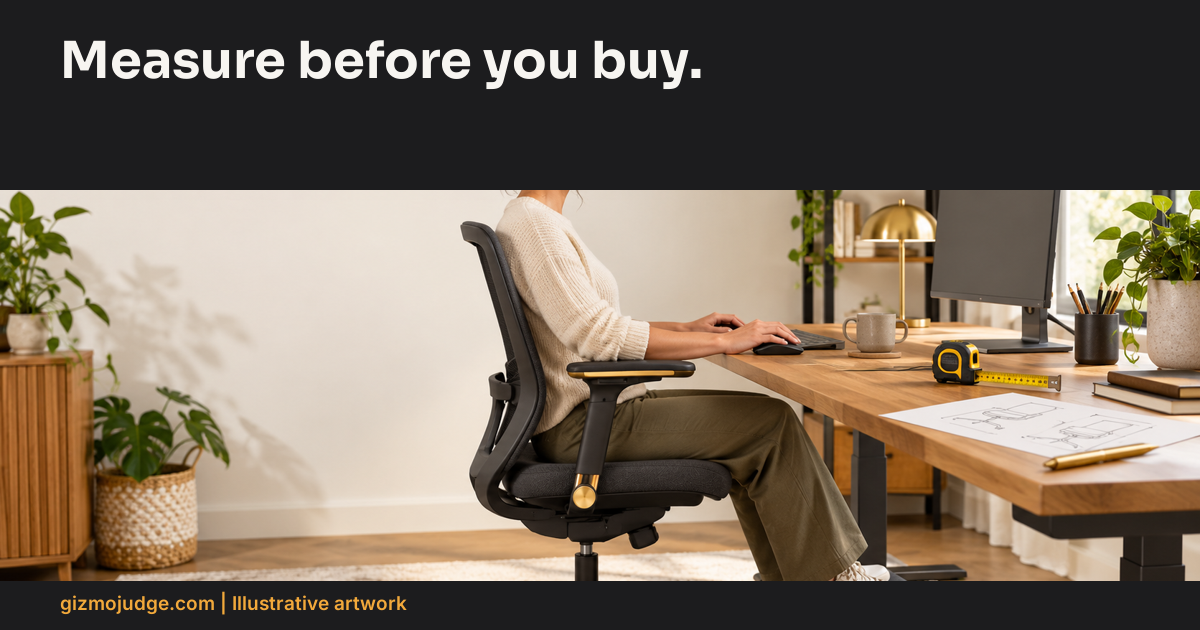
Buy if the chair adjustment range fits your seated position and your work surface. Skip a purchase justified only by a certification badge, a premium label or a photograph. A well-built chair can still be wrong for your body, desk or daily tasks.
Before comparing models, write the reason the present setup fails. Is the seat too high, the desk too high, the armrest too wide, or the keyboard too far away? These are different constraints. Replacing the chair without identifying the constraint can leave the problem unchanged. This is a specification-led buying method, not a hands-on test or a medical diagnosis.
Collect evidence before collecting product names
| Check | Record | Buying implication |
|---|---|---|
| Seat height | Your comfortable setting and the published range | A range mismatch is a reason to reject |
| Seat depth | Support and clearance in your seated position | Adjustability may matter more than styling |
| Armrests | Whether you can approach the desk without collision | Check height and width, or removability |
| Desk clearance | Room for legs, chair and movement | A larger chair is not always an upgrade |
| Return terms | Actual seller window, fees and packaging rules | A fit trial needs a usable return route |
Do not use height alone to predict fit. People of the same height can have different leg and torso proportions. A range on a product page is useful screening evidence, but it does not establish how the chair feels after a work session. A return policy reduces uncertainty only if its conditions are understood before purchase.
Adjust the setup before attributing the problem to the chair
OSHA’s workstation checklist considers posture, support, keyboard position, screen arrangement and clearance together. It includes supported feet, relaxed shoulders and wrists aligned with forearms. Use the official checklist to identify an adjustment problem before assuming a new product is required. Open the workstation evaluation checklist.
Our buying sequence is: identify the failed condition, try an available adjustment, record the remaining constraint, then compare products that can address it. For example, if raising the chair makes the work surface reachable but leaves the feet unsupported, a stable foot support may be part of the solution. If armrests prevent moving close to the keyboard, armrest geometry becomes a buying criterion rather than an optional feature.
Worked buying decision
Illustrative example: a buyer has a fixed-height desk and a chair whose armrests collide with its underside. The buyer first verifies whether the armrests can lower or be removed. If that cannot solve the collision, the shortlist records armrest height at the relevant seat setting, not just the chair’s maximum dimensions. A seller that publishes no useful range leaves an evidence gap. Ask for the range or choose a product with better documented fit information.
The same buyer does not need a ranked list of twenty chairs. Three candidates that meet the constraint, with documented adjustments and usable return terms, form a more defensible shortlist. Price is then compared within the fit-compatible group. No specification guarantees comfort for every person.
Keep safety, durability and fit separate
A safety or durability standard describes a tested property. It should not be converted into a claim that the chair fits an individual or relieves pain. If a seller cites a standard, inspect the standard scope and the exact product claim. Persistent discomfort calls for appropriate professional advice rather than a more confident product verdict.
Use the desk-fit worksheet to record the constraint and shortlist. Then compare the published-specification chair guide.