Verdicts here are built from published testing, real owner reports and spec sheets, not our own hands-on use. See how we judge →
Short answer: buy the Logitech Lift if your hand is small to medium and you’d rather swap a AA battery once every two years than ever plug in a charging cable. Buy the MX Vertical if your hand is medium to large and you don’t mind topping up a rechargeable battery every few months. Both are vertical mice built around the same 57 degree wrist angle to reduce forearm rotation. The real difference between them is not which one is better, it’s which one Logitech actually built for your hand, per its own published spec sheets.
Spec comparison
| Spec | Logitech Lift | Logitech MX Vertical |
|---|---|---|
| Hand size fit | Small to medium, per Logitech | Medium to large, per Logitech |
| Handedness | Right and left-handed versions | Right-handed only |
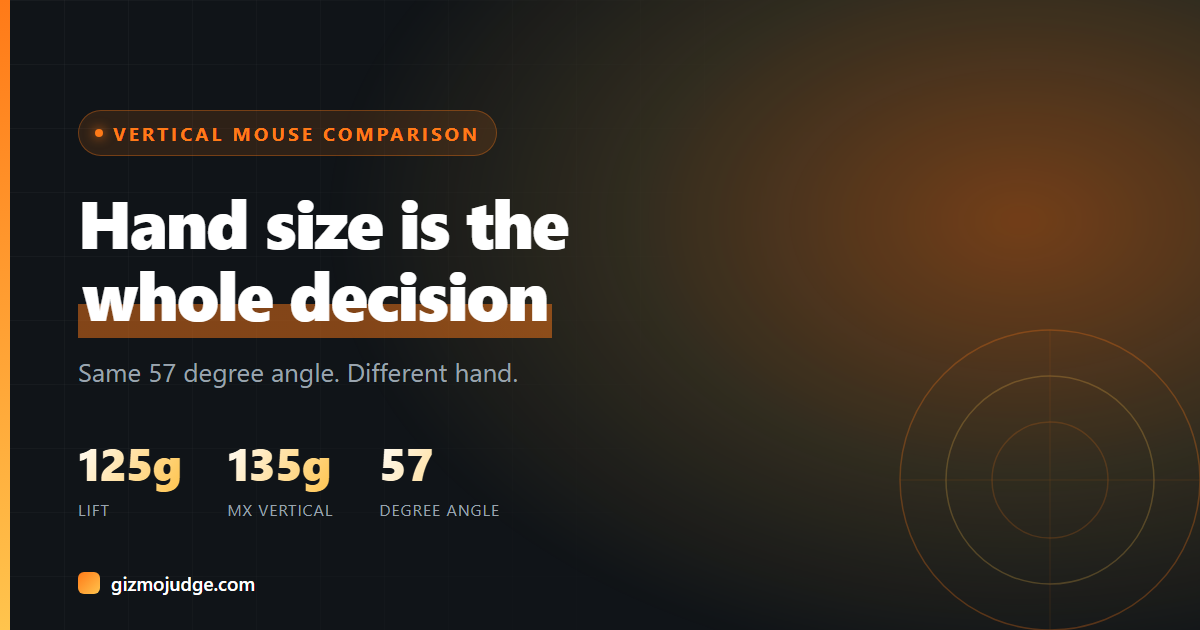
| Weight | 125 g | 135 g |
| Dimensions | 71 mm H x 70 mm W x 108 mm L | 78.5 mm H x 79 mm W x 120 mm L |
| Sensor DPI range | 400 to 4,000 DPI | 400 to 4,000 DPI (nominal 1,000 / 1,600) |
| Battery | 1 AA battery, up to 24 months per charge | Built-in rechargeable Li-Po (240mAh), up to 4 months per full charge, 1-minute quick charge for about 3 hours |
| Connectivity | Logi Bolt USB receiver or Bluetooth Low Energy | Logitech Unifying USB receiver, Bluetooth Low Energy, or USB-C cable |
| Multi-device switching | Easy-Switch, 3 channels | Easy-Switch (3 devices) plus Logitech Flow |
| Buttons | 4 customizable plus a connectivity button | 4 customizable |
| Click durability | 5 million clicks (left/right), 1 million (wheel), 500K (side buttons) | 10 million clicks |
| Drop resilience | Not published | Rated to 90 cm |
| Warranty | 2 years | 1 year (US/AP), 2 years (EMEA/Japan) |
Where the Logitech Lift wins
Hand size is the whole story here. Logitech builds the Lift specifically for small to medium hands, and at 125 g with a 108mm length it’s noticeably more compact than the MX Vertical. It’s also the only one of the two with a dedicated left-handed version, not just an ambidextrous shape, an actual mirrored mouse for left-handed users. And because it runs on a single AA battery rated for roughly 24 months per Logitech’s own spec sheet, you never have to think about a charging cable at all, you just swap the battery on the rare occasion it dies. Our full verdict on the Lift on its own is in the Logitech Lift Vertical Mouse Review.
Where the MX Vertical wins
If your hand is on the larger side, the MX Vertical’s bigger shell (120mm long against the Lift’s 108mm) is built for you, not something you’re making do with. It’s also the more durable of the two on paper, rated for 10 million clicks against the Lift’s 5 million, and it’s the only one with a published drop-resilience rating (90 cm). The built-in battery means no AA to buy or recycle, and a 1-minute quick charge buying about 3 hours of use covers you if it ever catches you off guard. If you already run other Logitech gear through Logitech Flow, the MX Vertical supports it, letting you move your cursor and even copy-paste text across paired computers.
The receiver you can’t mix and match
The Lift ships with a Logi Bolt USB receiver. The MX Vertical ships with the older Logitech Unifying receiver. Per Logitech’s own compatibility notes, Bolt devices will not pair with other Logitech USB receivers, so the two mice can’t share one dongle even though both are Logitech products. If your desk already runs several Unifying-paired peripherals, adding a Lift means a second receiver plugged in, not one shared connection. Both mice also connect over Bluetooth directly, which sidesteps the receiver question entirely if you don’t mind Bluetooth’s slightly higher input latency compared to a USB receiver.
Which one should you buy?
Buy the Logitech Lift if your hand is small to medium, you want a genuine left-handed option, or you’d rather never own a charging cable for your mouse.
Buy the MX Vertical if your hand is medium to large, you want the higher click durability and drop resilience for heavy daily use, or you already use Logitech Flow to move your cursor and copy-paste across multiple computers.
Still deciding between a vertical mouse and a split keyboard, or want the full buying framework first? How to Choose an Ergonomic Keyboard and Mouse covers the questions to answer before you buy either category.
Frequently asked questions
Which one fits smaller hands?
The Logitech Lift. Logitech markets it explicitly for small to medium hands, while the MX Vertical is positioned for medium to large hands. The Lift is also physically smaller in every dimension.
Does either mouse need to be charged?
The Lift runs on a single AA battery Logitech rates for up to 24 months, so there’s nothing to charge, only to swap occasionally. The MX Vertical has a built-in rechargeable battery good for up to 4 months per full charge, with a 1-minute quick charge providing about 3 hours of use.
Can I use the Lift and MX Vertical with the same USB receiver?
No. The Lift uses a Logi Bolt receiver and the MX Vertical uses the older Logitech Unifying receiver, and Logitech states Bolt devices will not pair with other Logitech USB receivers. Each needs its own receiver if you’re not using Bluetooth.
Is there a left-handed option for either mouse?
Only the Lift. It ships in a dedicated left-handed version alongside the standard right-handed one. The MX Vertical is right-handed only, with no left-hand SKU from Logitech.
Check the specs yourself
Every measurement quoted above comes from the product pages below. Prices and availability change, so check the source before you buy. Links verified 13 September 2026.
- Logitech Lift Vertical Mouse Manufacturer
- Logitech MX Vertical Manufacturer
Specifications sourced from Logitech’s own published data sheets and product pages for the Lift Vertical Mouse and the MX Vertical Advanced Ergonomic Mouse. Prices change often and are deliberately not quoted here. Check current listings before buying. Affiliate disclosure.