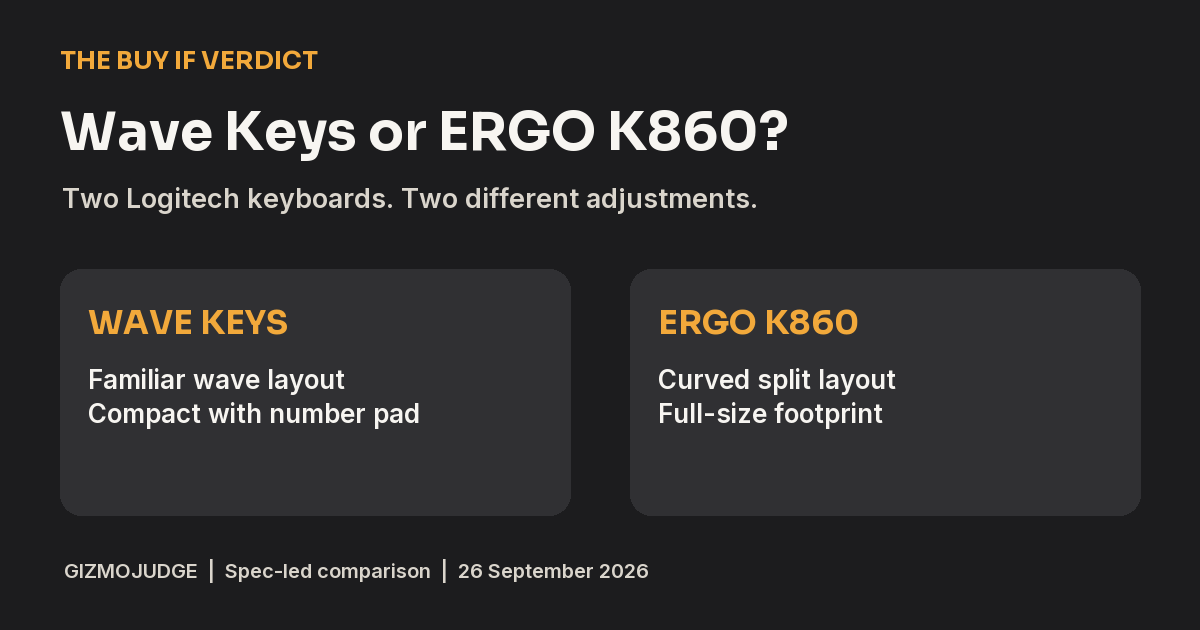
Verdict: Buy Wave Keys for a first ergonomic office keyboard, unless you already know you want the K860’s larger split keyframe and adjustable negative tilt. Wave Keys is the easier, less expensive change for an ordinary home office. K860 makes a more deliberate posture change and gives your fingers more room, but it needs a wider desk and a longer adjustment. This verdict combines current manufacturer specifications with RTINGS’ published hands-on testing. GizmoJudge has not tested either keyboard in person.
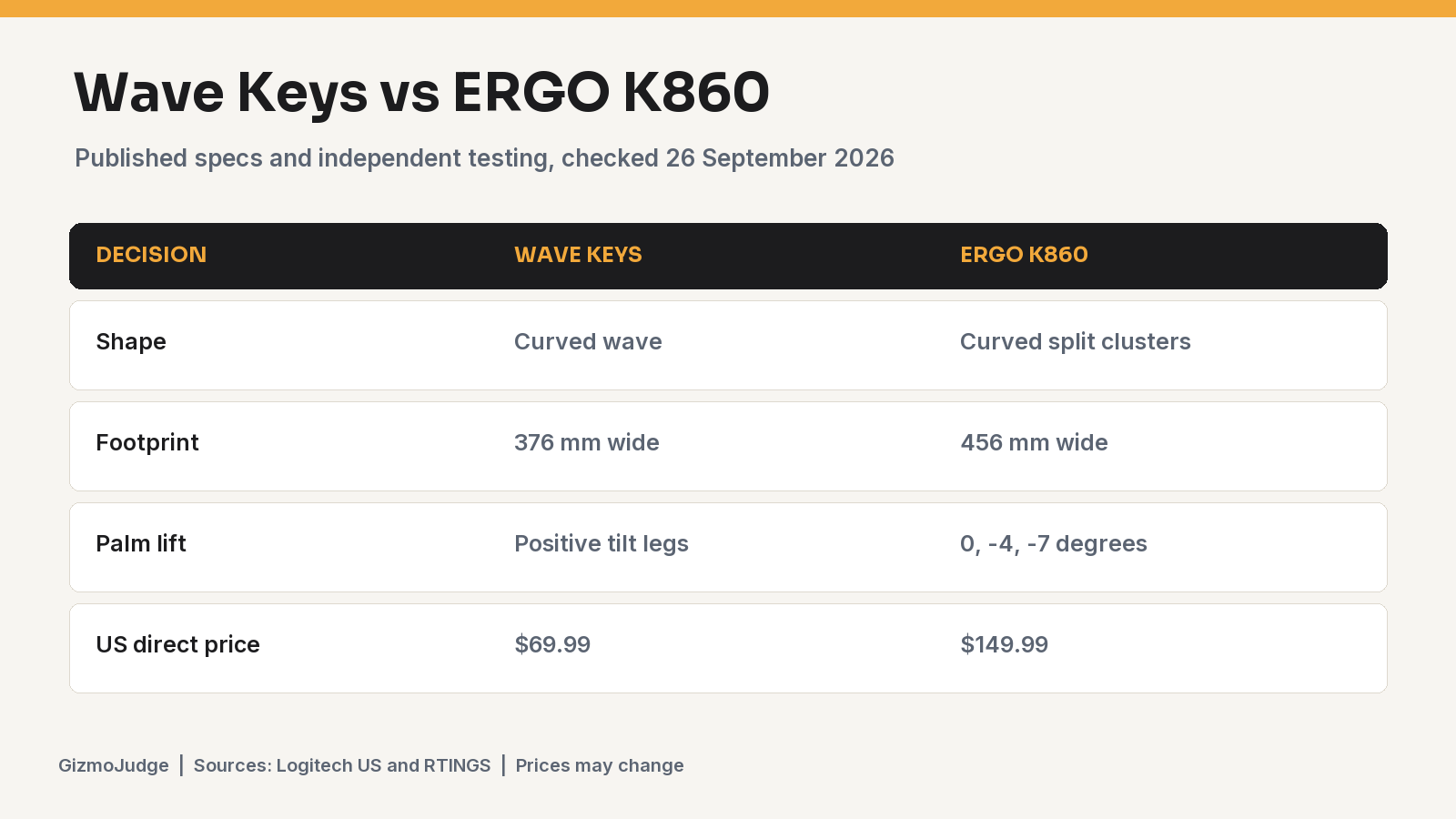
Both keyboards were listed in stock on Logitech’s US store when checked on 26 September 2026. Wave Keys was $69.99 and ERGO K860 was $149.99. Those are direct-store snapshots, not price guarantees. See the updated keyboard and mouse guide for a wider set of desk-fit choices.
The decisive difference is how much change you want
Logitech calls Wave Keys a compact wave-shaped keyboard with a cushioned palm rest. The keys still form a familiar whole. Logitech’s ERGO K860 has a curved split keyframe, a full-size body and palm-lift settings of 0, -4 and -7 degrees. The boards are not two price tiers of the same shape. One is a gentler curve, the other a more pronounced split.
RTINGS bought and tested both. Its direct comparison, updated in June 2026, says K860 has more distinct spacing between left and right key clusters and wider key spacing. Wave Keys is more compact, with a lighter rubber-dome feel; K860 uses scissor switches with a stronger tactile bump. That is the independent check behind our tradeoff, not a claim from a product page alone.
Desk footprint and typing feel
Logitech lists Wave Keys at about 376 mm wide and K860 at about 456 mm. The 80 mm difference matters most if the mouse already sits far from your shoulder line. Both include number pads, but Wave puts one in a narrower body. RTINGS’ Wave Keys review describes it as very quiet for office use while warning that its keys can feel mushy and the layout cramped. Its K860 review praises typing quality and the negative-angle feet, while noting the split layout can take time to learn. The feel difference is a reason to try the board, not a health outcome.
Neither is a travel keyboard. The integrated palm rests add depth. If your keyboard tray is shallow, measure its usable width and depth before comparing prices. A keyboard that fits the typing posture but pushes the mouse too far away can make the whole desk less comfortable.
Choose Wave Keys if…
- You want a familiar layout with a mild curve, quiet office typing and a lower-cost trial.
- Your desk is tight but you still use a number pad.
- You would rather keep conventional finger positions than relearn a split key cluster.
Skip it if you need independent halves, a pronounced split or adjustable negative palm lift. Wave Keys has a curve, not those features. If mushy rubber-dome keys bother you, RTINGS’ observed feel is a reason to try it during a return window.
Choose ERGO K860 if…
- You specifically want a curved split keyframe and the option to raise the front edge for negative tilt.
- Your desk can accommodate a roughly 456 mm wide keyboard plus a mouse within easy reach.
- You are willing to spend more and give the altered key positions time.
Skip it if you need a compact footprint or expect to move the board often. K860 is still one fixed board. It cannot place the two halves independently like a true two-piece split keyboard. The larger price buys a different geometry, not guaranteed relief from pain.
Price and purchase decision
The 26 September 2026 US direct-store gap was $80. At those observed prices, Wave Keys is the more reasonable first purchase for someone unsure whether a shaped keyboard helps their daily work. K860 earns its premium only if you value the clearer split, wider spacing and tilt choices enough to accept the larger body. If a retailer changes the gap, recalculate the decision. A return policy matters because comfort is individual.
For mouse pairing, see Lift versus MX Vertical by hand size. The keyboard and mouse do not need to match. You can also use the setup checklist to check desk height and reach before buying hardware.
Evidence and limits
Dimensions, tilt options, connectivity, US store price and availability came from Logitech’s live product pages on 26 September 2026. Typing feel and comparative layout observations came from RTINGS’ purchased-unit reviews and June 2026 comparison. We have not independently measured comfort or long-term health effects. This is a purchase-fit verdict for ordinary office work, not medical advice or a performance test by GizmoJudge.
Frequently asked questions
Is Wave Keys a split keyboard?
No. It has a curved wave layout that tents slightly in the middle, but its left and right key clusters are not separated like K860’s, and its halves cannot move independently.
Does K860 have a number pad?
Yes. Both boards have number pads. K860 uses a wider full-size footprint, while Wave Keys packs one into a more compact body.
Which is quieter?
RTINGS describes Wave Keys as extremely quiet for office typing and K860 as quiet too. Sound preference also depends on desk surface and typing force. Listen to a real sample if noise is the deciding factor.