Verdicts here are built from published testing, real owner reports and spec sheets, not our own hands-on use. See how we judge →
Verdict: Buy. The K860 already tops our ergonomic keyboards and mice roundup as the best overall pick, and a closer look at the specs and the review record backs that up. A curved, split key layout, a full-size wrist rest, and a feature set that has barely changed since launch because it has not needed to. This verdict is built from RTINGS’ published testing, PC Gamer and PCWorld’s hands-on coverage, and the pattern across more than 6,600 verified owner ratings, not from an in-house test bench.
What it actually does well
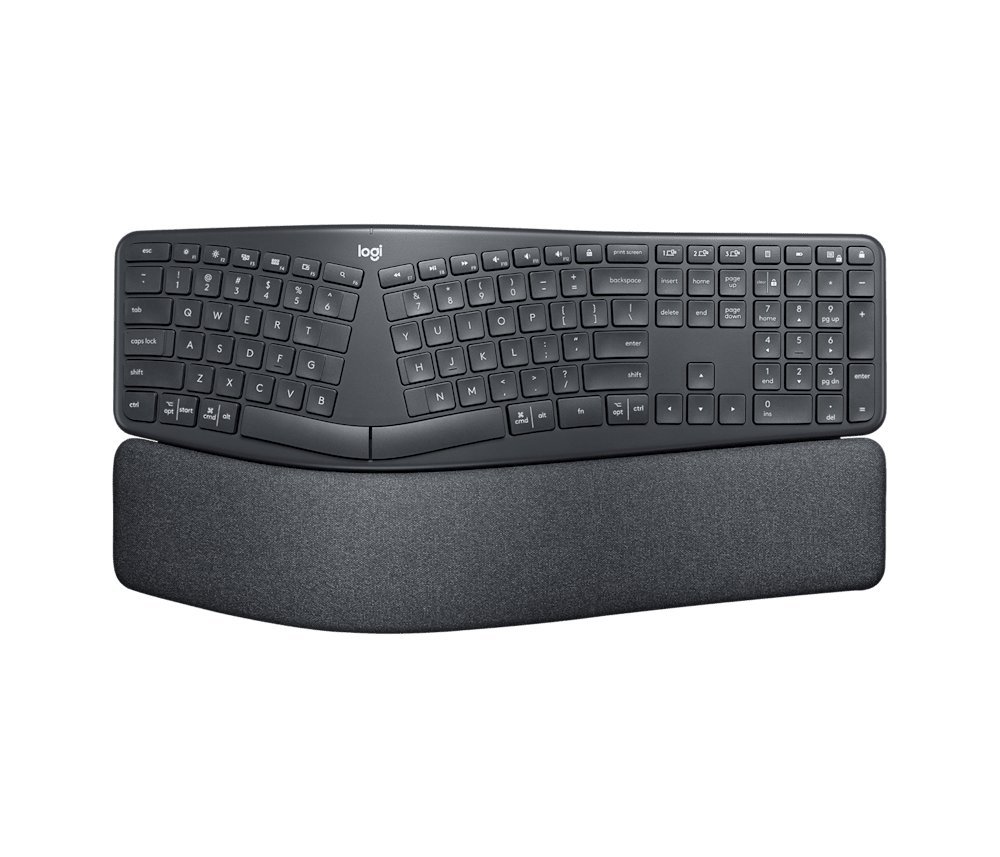
- Split, tented layout: the key well breaks into two angled halves with the center raised (tenting) and fold-out legs that drop the front edge -4° or -7°, the reverse of a standard keyboard’s rear-tilt. RTINGS’ measurements confirm the geometry; PC Gamer credits the wrist rest built around it as one of the most comfortable in the category.
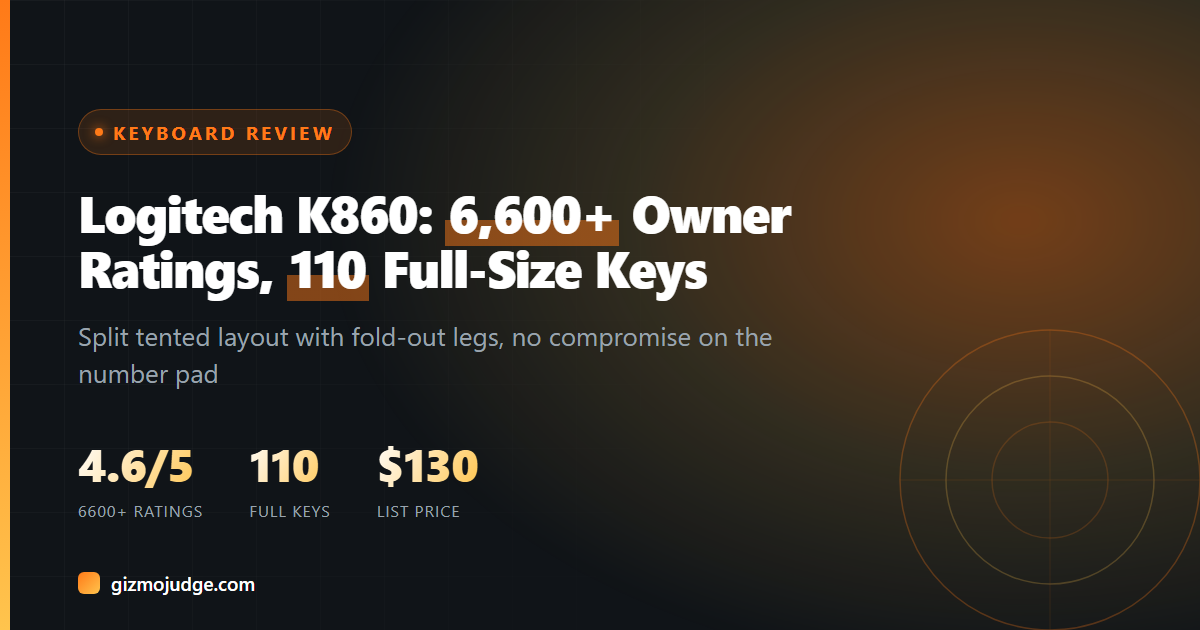
- Full-size layout, no compromises: 110 keys including a full number pad, so nothing gets cut to make room for the ergonomic shape, unlike most compact split boards.
- Dual wireless: pairs over Bluetooth or a USB receiver and switches between paired devices.
- Owner track record: more than 6,600 Amazon ratings averaging 4.6 out of 5, a large enough sample to trust the pattern rather than a handful of cherry-picked reviews.
- List price around $130, though it has been seen on sale closer to $90 (per our roundup).
Where it is not the best option
There is no backlighting at this price point, which is a real miss for a $130 keyboard. It is also a full-size board, so the split shape does not save desk space the way a compact split keyboard does; measure your desk before ordering. And the split itself takes a real adjustment period. PCWorld and PC Gamer both note a settling-in window before typing speed returns to normal, which lines up with what every published review of a split keyboard says about the category generally.
Who should buy this
Anyone whose wrist or forearm pain traces to a standard flat keyboard, per Question 1 in our buying guide. The K860 is the lower-commitment ergonomic option: still one keyboard, still fits a normal desk, with genuine wrist-angle correction, versus a fully split board like the MoErgo Glove80 that asks for more desk space and a longer learning curve.
Who should skip it
If desk space is tight, the K860’s full-size footprint is the wrong shape; a compact curved keyboard fits better. If per-key backlighting matters for a dim workspace, look elsewhere at this price. And if a standard keyboard has never caused discomfort, there is no need to fix what is not broken, save the money.
Every verdict on this page is built from RTINGS’ testing, PCWorld and PC Gamer’s published reviews, and the pattern across verified owner ratings, not from an in-house test bench. See How We Judge for our full method, and our affiliate disclosure for how we handle Amazon Associates links.
The K860 spec sheet, in plain numbers
Everything below comes from Logitech’s own K860 product page (US English model, part 920-009166), linked at the bottom of this review. We have not measured it ourselves.
| Size | 456 x 233 x 48 mm (17.95 x 9.17 x 1.89 in), wrist rest included |
| Weight | 1,160 g (about 2.6 lbs) |
| Power | 2 x AAA batteries, up to 24 months |
| Connection | USB receiver or Bluetooth Low Energy, 10 m (33 ft) range |
| Devices | Up to 3, switched with the Easy-Switch keys |
| Works with | Windows 10 and 11, macOS 10.15 or later, iPadOS 14 or later, ChromeOS, Linux |
| Wrist rest | Fixed, not removable: knitted fabric over high-density foam and memory foam |
| Warranty | 1 year limited hardware |
Setup and fit notes before you order
- Measure for 18 inches plus a mouse. At 456 mm wide with the number pad built in, the K860 plus a mouse needs more desk width than most people expect. On a small desk, that can push the mouse out past shoulder width, which undoes part of the benefit.
- It is a desk keyboard, not a travel one. At about 2.6 lbs with a fixed wrist rest, it is built to stay put.
- The wrist rest cannot come off. Logitech confirms it is permanently part of the frame. If you already own a wrist rest you like, you will not be able to swap it in.
- Logitech’s comfort numbers are its own. The product page claims 54% more wrist support and 25% less wrist bending from the cushioned rest. Those are the maker’s figures, not independent test results, so treat them as a claim.
- Short warranty for the price. One year is standard for Logitech, but it is well short of the 10 years Ergotron offers on the LX monitor arm, for example. Keep the receipt.
Frequently asked questions
Is a split keyboard hard to learn?
Does it work with a Mac?
Do I need the matching wrist rest?
How many devices can the K860 connect to?
What batteries does it use, and how long do they last?
Does it work with an iPad or a Chromebook?
Check the specs yourself
Every measurement quoted above comes from the product pages below. Prices and availability change, so check the source before you buy. Links verified 13 September 2026.
- Logitech Ergo K860 Manufacturer
Image credits: product photo from Logitech’s own product page, shown unedited for review commentary.